Kinetic IDE · sovereign AI IDE
In developmentIntelligence without surveillance.
A local-first AI development environment. Kinetic indexes your codebase on your own machine, works through an agent you can watch, and asks before it changes files or runs commands.
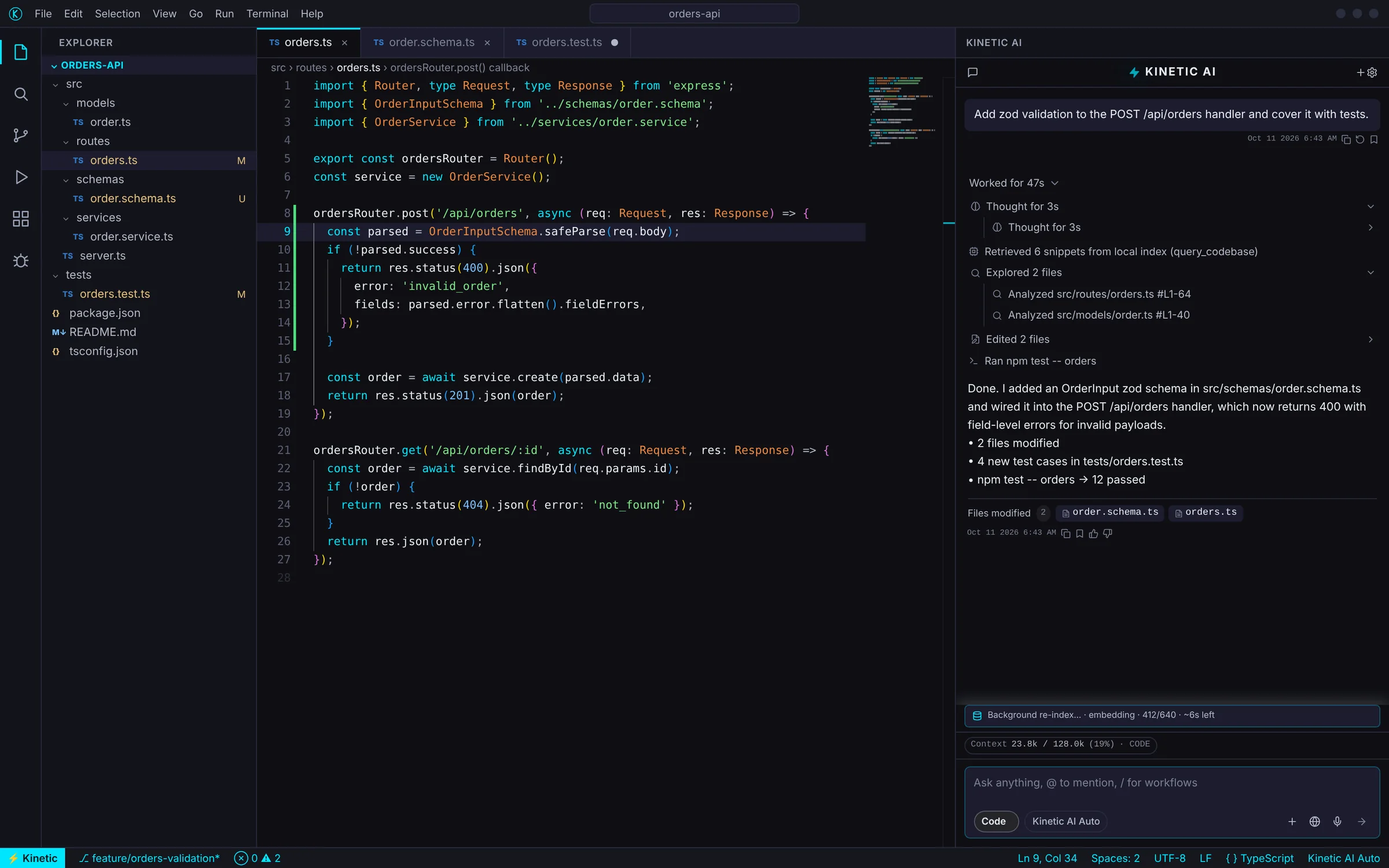
Three gates of trust
An agent that earns its place in production.
01
Local RAG engine
A Rust indexer chunks and embeds your workspace on your machine — vector plus BM25 hybrid retrieval, Tree-sitter symbols, re-indexed in the background on every save.
02
Blueprint consent
Before a multi-file change, the agent writes a Blueprint: the plan, the files it will touch and a risk badge. You approve, reject or revise.
03
Sentry gate
Any command outside the approved plan stops inline in chat with a risk score — low to critical — and waits for you. Every decision is logged.
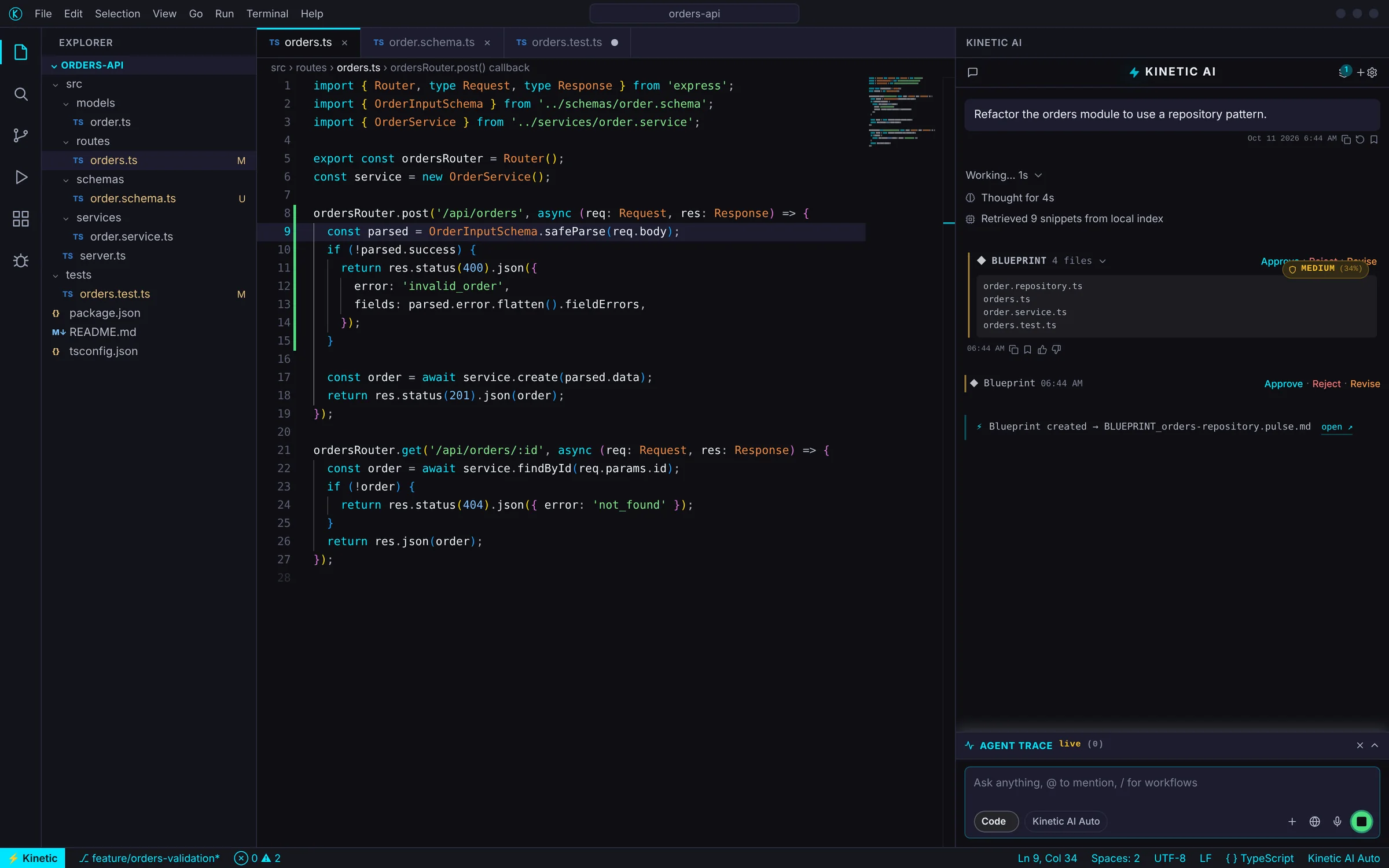
Blueprint · Mission · Trace
Consent to the plan before a single file changes.
- Approve · Reject · Revise
- Risk badge on every plan
- Pulse Timeline of every turn
Sentry
Nothing runs without your knowledge.
- Risk levels: low, medium, high, critical
- Trusted-command allow-list
- Searchable Sentry log
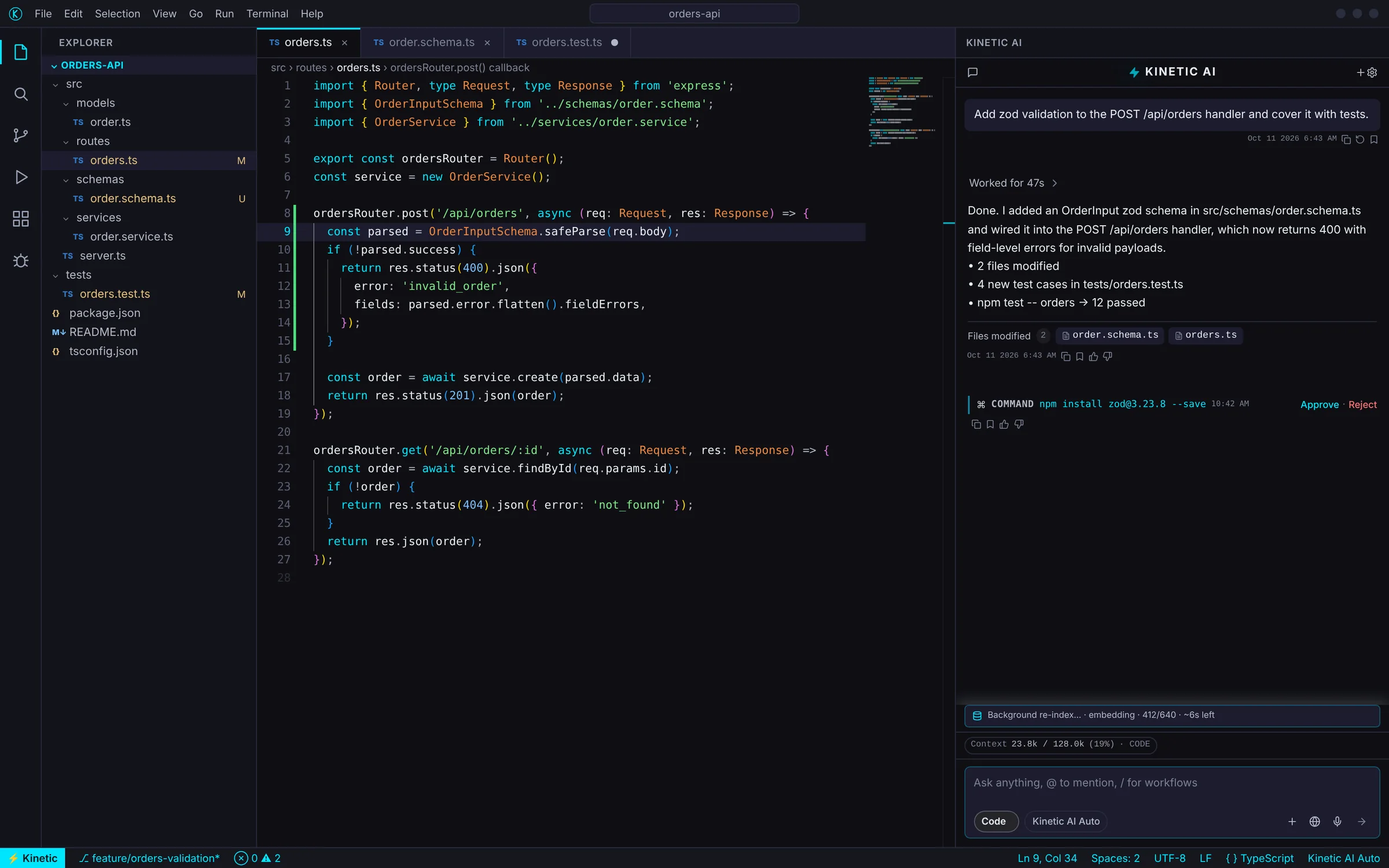
Mission Command
The state of your work, at a glance.
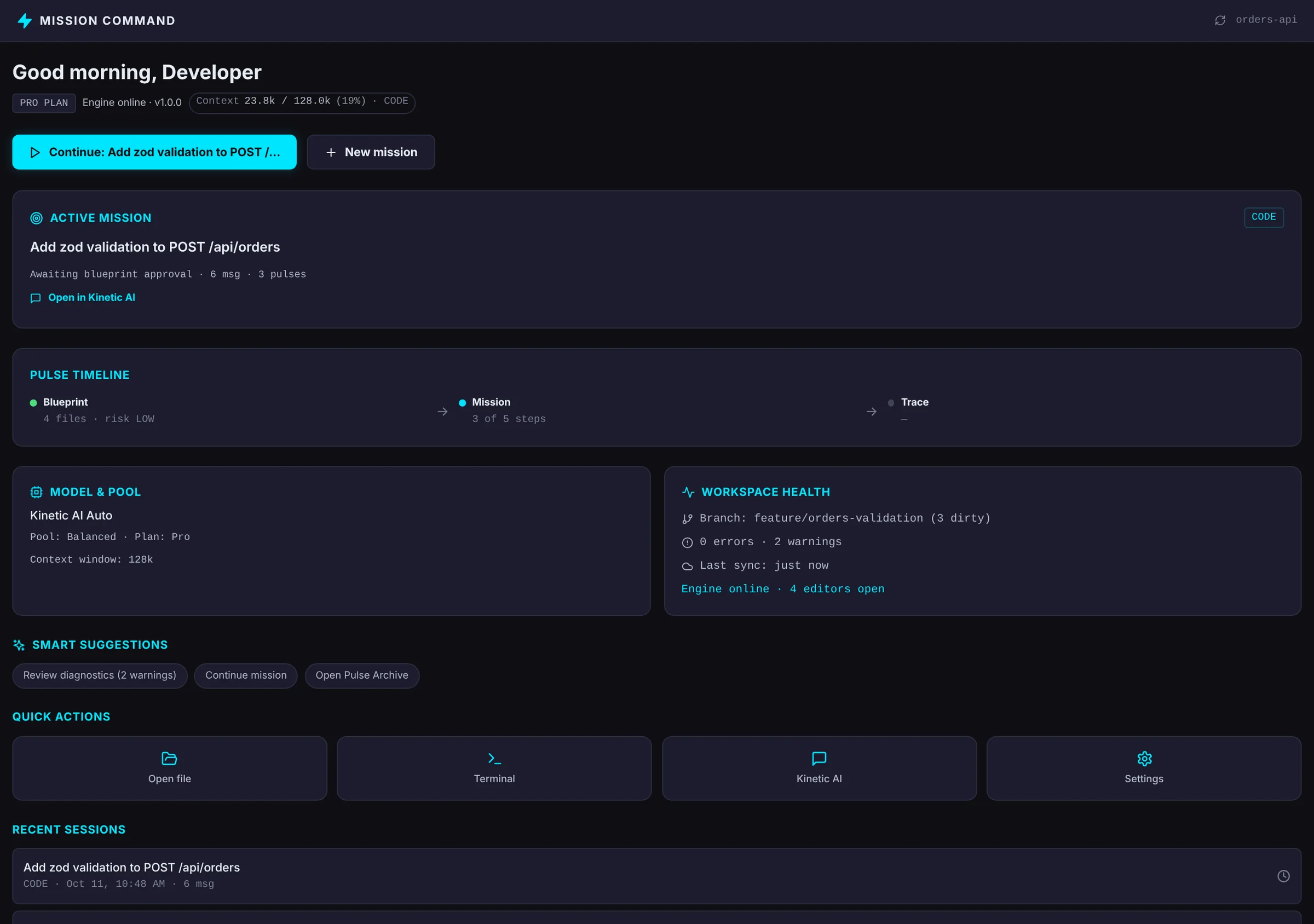
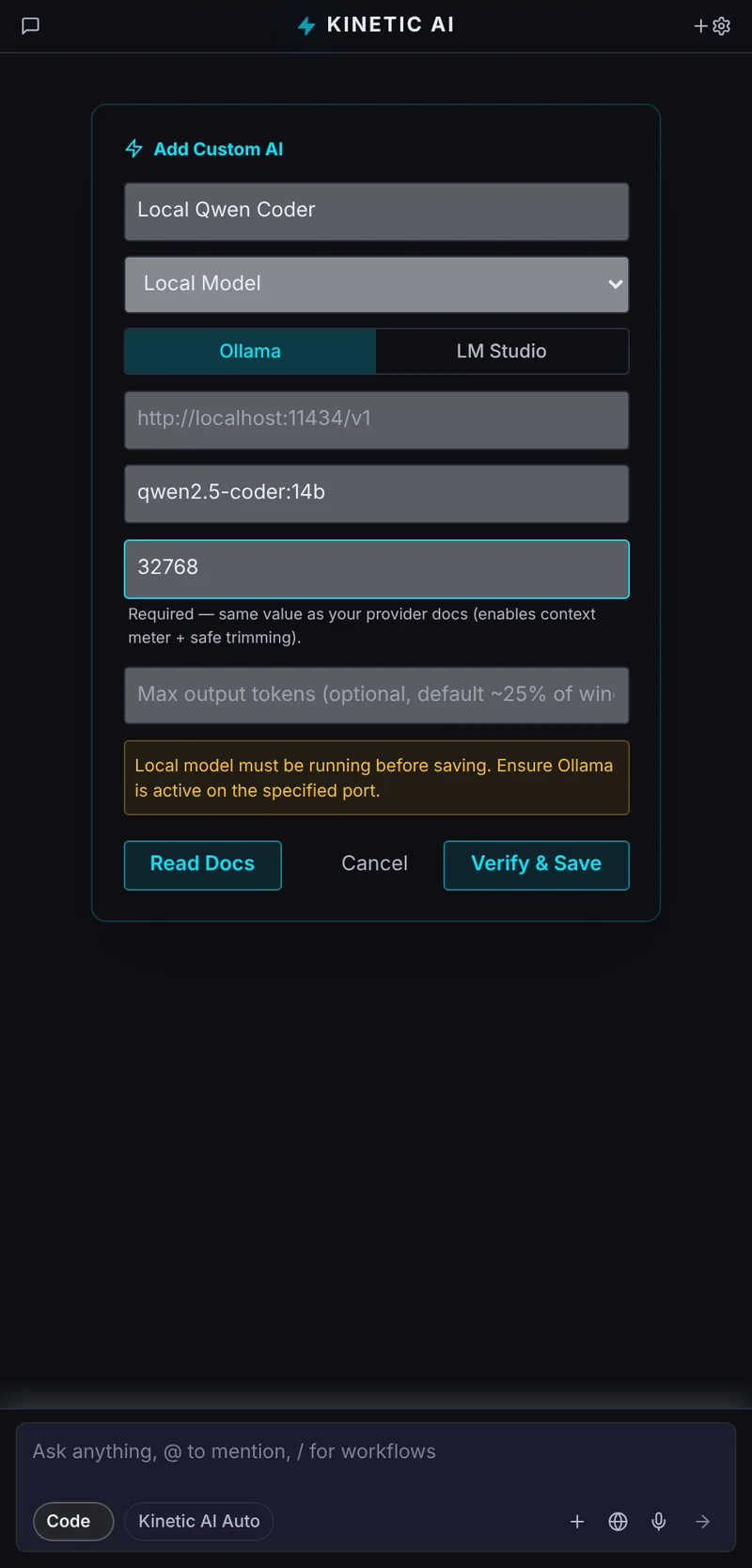
Any model
Your keys, any provider — or nothing leaves at all.
Four modes
The mode you pick is a ceiling.
A classifier chooses the lane that actually runs, and a policy decides which tools each lane may use — so a question never becomes a refactor.
Ask
Read-only. Questions about your code, answered from the local index.
Plan
Writes plans and artifacts only — never touches your source.
Code
The full agent loop, with the Blueprint and Sentry gates in front of every change.
Vision
Code mode plus images, URLs and browser tooling.
The privacy model, precisely
What stays, and what travels.
- Always local
- Your index, embeddings and vectors; credentials in OS-backed secure storage; Blueprint, Sentry and Trace logs.
- With a cloud model
- Your prompt and only the snippets a task needs go to the provider you chose. Alayra does not see or store them.
- With a local model
- Nothing leaves your machine.
- What Alayra keeps
- Only what it takes to run your account: your email and basic details, token counts and usage, and credit and billing records. Never your code or your prompts.
25+ providers, plus local
Bring the model you trust.
- OpenAI
- Anthropic
- Google Gemini
- Vertex AI
- Azure OpenAI
- AWS Bedrock
- Groq
- OpenRouter
- Mistral
- Together
- Cohere
- Fireworks
- Perplexity
- DeepInfra
- Replicate
- DeepSeek
- xAI
- Hugging Face
- Kimi
- NVIDIA NIM
- Cerebras
- SambaNova
- AI21
- Novita
- Lambda
- Cloudflare AI
- Ollama
- LM Studio
On the horizon
Squad Mode and team indexing.
A leader, architect, coder and QA agent working as one team — and shared, remote and sharded indexes that run on your own infrastructure. Both are planned, after the core gates stabilise.
FAQ
Questions, answered
Does my code leave my machine?
Your codebase is indexed locally, and embeddings and vectors stay on your machine. With a cloud model, your prompt and only the snippets a task needs go to the provider you choose; Alayra does not see or store them. With a local model through Ollama or LM Studio, nothing leaves at all.
Which models can I use?
Kinetic AI Auto, your own keys for 25+ providers — from OpenAI and Anthropic to Groq, Mistral, Bedrock and Vertex — or fully local models. Keys are kept in the IDE’s secure storage.
Is Kinetic IDE built on VS Code?
Kinetic IDE is built on Code-OSS, the open-source core of VS Code, with a Rust engine for orchestration, indexing and retrieval.
When can I use it?
Kinetic IDE is in active development for Windows, macOS and Linux. Join early access and we will reach out as builds open.
Early access
Every Alayra product is in active development. Join early access for Nexus Cloud, Kinetic IDE and Kinetic AIDE — or self-host Nexus today.